Appearance
认识 Web 框架
前面我们已经学习了使用 http 内置模块来搭建 Web 服务器,为什么还要使用框架?
原生 http 在进行很多处理时,会较为复杂;
有 URL 判断、Method 判断、参数处理、逻辑代码处理等,都需要我们自己来处理和封装;
并且所有的内容都放在一起,会非常的混乱;
目前在 Node 中比较流行的 Web 服务器框架是 express、koa;
我们先来学习 express,后面再学习 koa,并且对他们进行对比;
express 早于 koa 出现,并且在 Node 社区中迅速流行起来:
我们可以基于 express 快速、方便的开发自己的 Web 服务器;
并且可以通过一些实用工具和中间件来扩展自己功能;
Express 整个框架的核心就是中间件,理解了中间件其他一切都非常简单!
Express 安装
express 的使用过程有两种方式:
方式一:通过 express 提供的脚手架,直接创建一个应用的骨架;
方式二:从零搭建自己的 express 应用结构;
方式一:安装 express-generator
安装脚手架
json
npm install -g express-generator创建项目
json
express express-demo安装依赖
json
npm install启动项目
json
node bin/www方式二:从零搭建自己的 express 应用结构;
json
npm init -yExpress 的基本使用
Express 的基本使用
我们会发现,之后的开发过程中,可以方便的将请求进行分离:
无论是不同的 URL,还是 get、post 等请求方式;
这样的方式非常方便我们已经进行维护、扩展;
当然,这只是初体验,接下来我们来探索更多的用法;
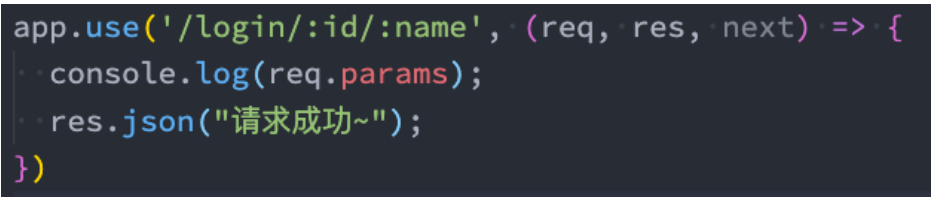
请求的路径中如果有一些参数,可以这样表达:
/users/:userId;
在 request 对象中药获取可以通过 req.params.userId;
返回数据,我们可以方便的使用 json:
res.json(数据)方式;
可以支持其他的方式,可以自行查看文档;
https://www.expressjs.com.cn/guide/routing.html
javascript
const express = require("express");

// 1.创建express的服务器
const app = express();

// 客户端访问URL: /login和/home
app.post("/login", (req, res) => {
  // 处理login请求
  res.end("登录成功, 欢迎回来~");
});

app.get("/home", (req, res) => {
  res.end("首页的轮播图/推荐数据列表~");
});

// 2.启动服务器, 并且监听端口
app.listen(9000, () => {
  console.log("express服务器启动成功~");
});
认识中间件
Express 是一个路由和中间件的 Web 框架,它本身的功能非常少:
Express 应用程序本质上是一系列中间件函数的调用;
中间件是什么呢?
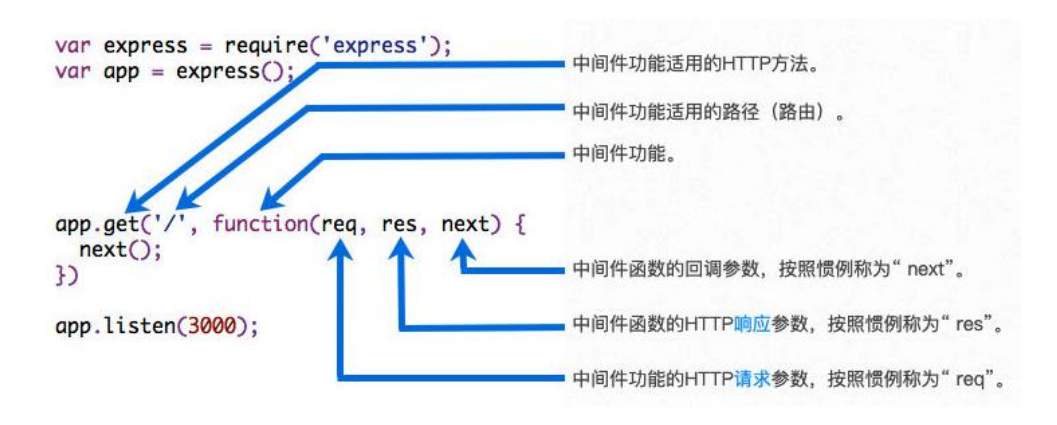
中间件的本质是传递给 express 的一个回调函数;
这个回调函数接受三个参数:
- 请求对象(request 对象);
- 响应对象(response 对象);
- next 函数(在 express 中定义的用于执行下一个中间件的函数);
中间件中可以执行哪些任务呢?
执行任何代码;
更改请求(request)和响应(response)对象;
结束请求-响应周期(返回数据);
调用栈中的下一个中间件;
如果当前中间件功能没有结束请求-响应周期,则必须调用 next()将控制权传递给下一个中间件功能,否则,请求将被挂起。
javascript
const express = require("express");

const app = express();

// 给express创建的app传入一个回调函数
// 传入的这个回调函数就称之为是中间件(middleware)
// app.post('/login', 回调函数 => 中间件)
app.post("/login", (req, res, next) => {
  // 1.中间件中可以执行任意代码
  console.log("first middleware exec~");
  // 打印
  // 查询数据
  // 判断逻辑

  // 2.在中间件中修改req/res对象
  req.age = 99;

  // 3.可以在中间件中结束响应周期
  // res.json({ message: "登录成功, 欢迎回来", code: 0 })

  // 4.执行下一个中间件
  next();
});

app.use((req, res, next) => {
  console.log("second middleware exec~");
});

app.listen(9000, () => {
  console.log("express服务器启动成功~");
});
执行 next(),就会 app.use,因为 app.use 是一个中间件。
应用中间件 – 自己编写
那么,如何将一个中间件应用到我们的应用程序中呢?
express 主要提供了两种方式:
- app/router.use;
- app/router.methods;
可以是 app,也可以是 router,router 我们后续再学习:
methods 指的是常用的请求方式,比如: app.get 或 app.post 等;
我们先来学习 use 的用法,因为 methods 的方式本质是 use 的特殊情况;
案例一:最普通的中间件
案例二:path 匹配中间件
案例三:path 和 method 匹配中间件
案例四:注册多个中间件
最普通的中间件
javascript
const express = require("express");

const app = express();

// 总结: 当express接收到客户端发送的网络请求时, 在所有中间中开始进行匹配
// 当匹配到第一个符合要求的中间件时, 那么就会执行这个中间件
// 后续的中间件是否会执行呢? 取决于上一个中间件有没有执行next

// 通过use方法注册的中间件是最普通的/简单的中间件
// 通过use注册的中间件, 无论是什么请求方式都可以匹配上
// login/get
// login/post
// abc/patch
app.use((req, res, next) => {
  console.log("normal middleware 01");
  // res.end('返回结果了, 不要等了')
  next();
});

app.use((req, res, next) => {
  console.log("normal middleware 02");
});

// 开启服务器
app.listen(9000, () => {
  console.log("express服务器启动成功~");
});
path 匹配中间件
javascript
const express = require("express");

const app = express();

// 注册普通的中间件
// app.use((req, res, next) => {
//   console.log('match normal middleware')
//   res.end('--------')
// })

// 注册路径匹配的中间件
// 路径匹配的中间件是不会对请求方式(method)进行限制
app.use("/home", (req, res, next) => {
  console.log("match /home middleware");
  res.end("home data");
});

app.listen(9000, () => {
  console.log("express服务器启动成功~");
});
path 和 method 匹配中间件
javascript
const express = require("express");

const app = express();

// 注册中间件: 对path/method都有限制
// app.method(path, middleware)
app.get("/home", (req, res, next) => {
  console.log("match /home get method middleware");
  res.end("home data");
});

app.post("/users", (req, res, next) => {
  console.log("match /users post method middleware");
  res.end("create user success");
});

app.listen(9000, () => {
  console.log("express服务器启动成功~");
});
注册多个中间件
javascript
const express = require("express");

const app = express();

// app.get(路径, 中间件1, 中间件2, 中间件3)
app.get(
  "/home",
  (req, res, next) => {
    console.log("match /home get middleware01");
    next();
  },
  (req, res, next) => {
    console.log("match /home get middleware02");
    next();
  },
  (req, res, next) => {
    console.log("match /home get middleware03");
    next();
  },
  (req, res, next) => {
    console.log("match /home get middleware04");
  }
);

app.listen(9000, () => {
  console.log("express服务器启动成功~");
});
中间件匹配练习
javascript
const express = require("express");

const app = express();

// 1.注册两个普通的中间件
app.use((req, res, next) => {
  console.log("normal middleware01");
  next();
});

app.use((req, res, next) => {
  console.log("normal middleware02");
  next();
});

// 2.注册路径path/method的中间件
app.get(
  "/home",
  (req, res, next) => {
    console.log("/home get middleware01");
    next();
  },
  (req, res, next) => {
    console.log("/home get middleware02");
    next();
  }
);

app.post("/login", (req, res, next) => {
  console.log("/login post middleware");
  next();
});

// 3.注册普通的中间件
app.use((req, res, next) => {
  console.log("normal middleware03");
  next();
});

app.use((req, res, next) => {
  console.log("normal middleware04");
});

app.listen(9000, () => {
  console.log("express服务器启动成功~");
});如果发送的是http://localhost:9000/abc,那么匹配的中间件顺序是
json
normal middleware01
normal middleware02
normal middleware03
normal middleware04如果发送的是http://localhost:9000/home,那么匹配的中间件顺序是
app.use 可以匹配任意中间件,尽管这里可以匹配到/home,但是 middleware01 会先匹配
json
normal middleware01
normal middleware02
/home get middleware01
/home get middleware02
normal middleware03
normal middleware04
应用中间件 – body 解析
并非所有的中间件都需要我们从零去编写:
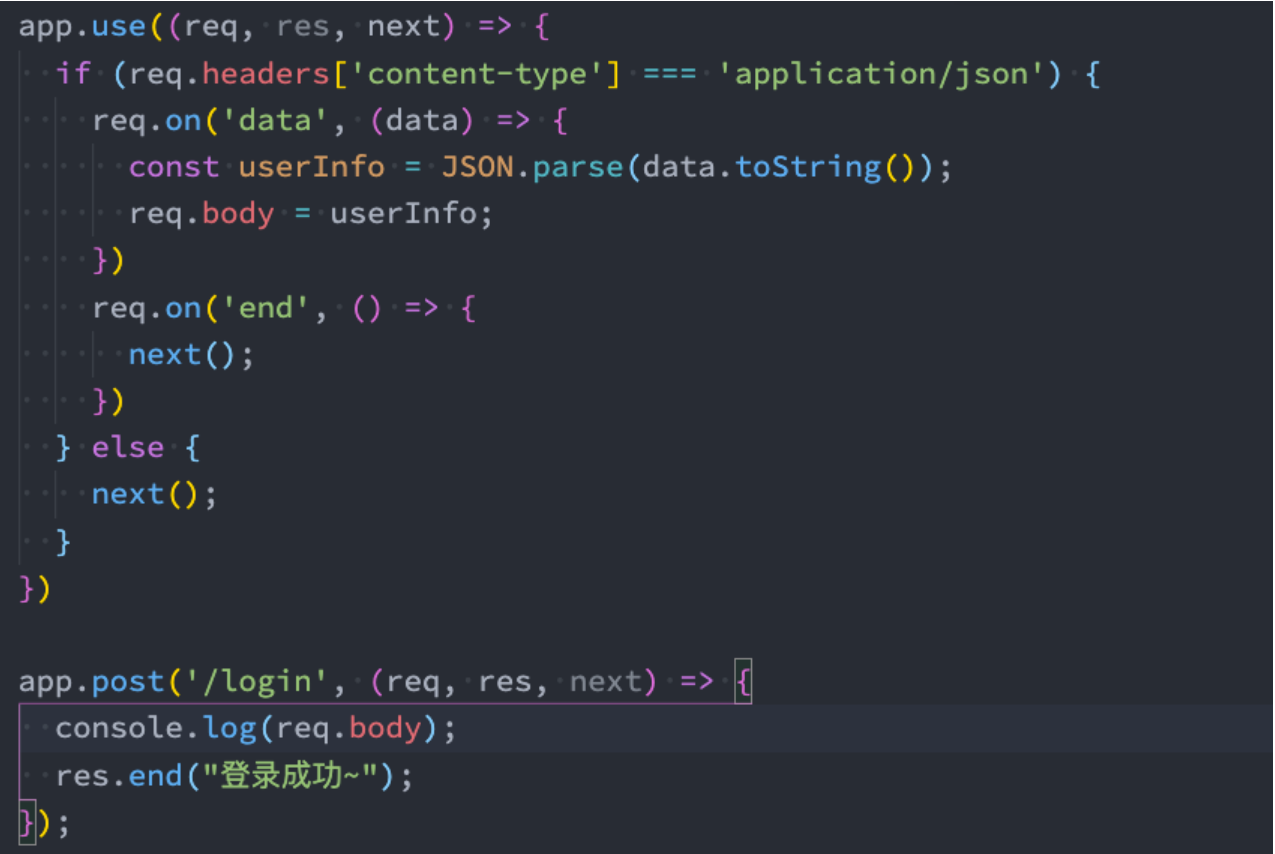
express 有内置一些帮助我们完成对 request 解析的中间件;
registry 仓库中也有很多可以辅助我们开发的中间件;
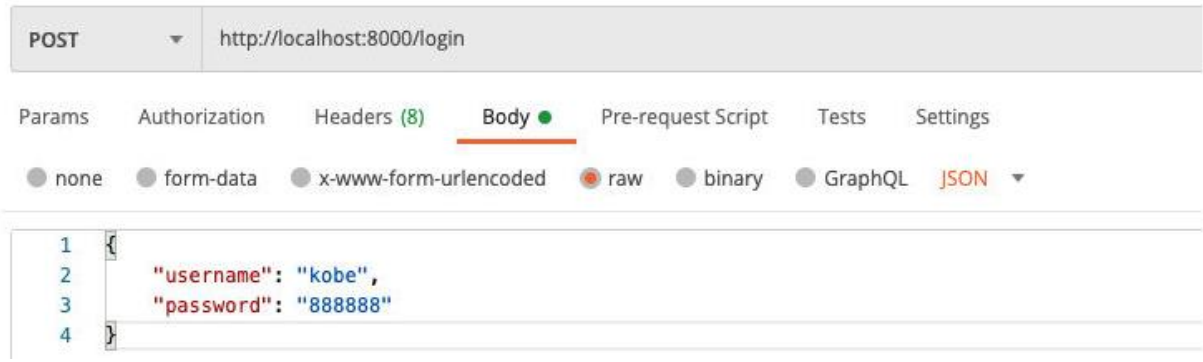
在客户端发送 post 请求时,会将数据放到 body 中:
客户端可以通过 json 的方式传递;
也可以通过 form 表单的方式传递;
编写解析 request body 中间件
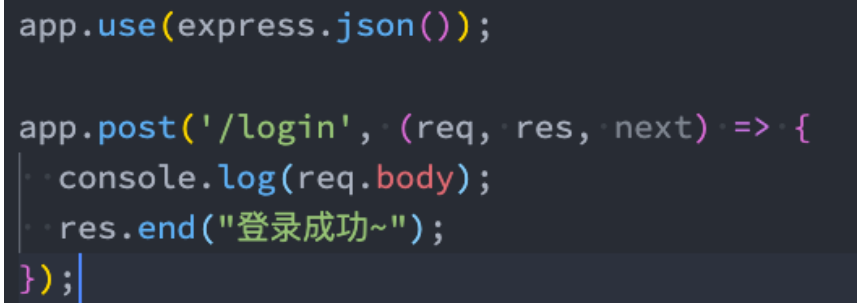
应用中间件 – express 提供
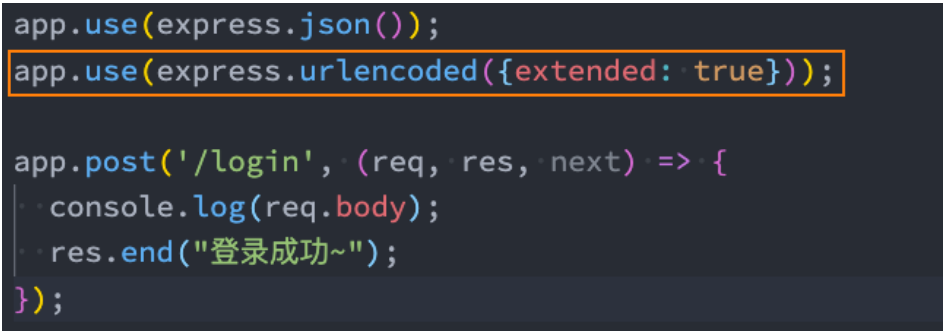
但是,事实上我们可以使用 expres 内置的中间件或者使用 body-parser 来完成:
如果我们解析的是 application/x-www-form-urlencoded:
javascript
const express = require("express");

const app = express();

// 注册两个实际请求的中间件
// 案例一: 用户登录的请求处理 /login post => username/password
app.post("/login", (req, res, next) => {
  // 1.获取本次请求过程中传递过来的json数据
  let isLogin = false;
  req.on("data", (data) => {
    const dataString = data.toString();
    const dataInfo = JSON.parse(dataString);
    if (dataInfo.username === "coderwhy" && dataInfo.password === "123456") {
      isLogin = true;
    }
  });

  req.on("end", () => {
    if (isLogin) {
      res.end("登录成功, 欢迎回来~");
    } else {
      res.end("登录失败, 请检测账号和密码是否正确~");
    }
  });
});

// 案例二: 注册用户的请求处理 /register post => username/password
app.post("/register", (req, res, next) => {
  // 1.获取本次请求过程中传递过来的json数据
  let isRegister = false;
  req.on("data", (data) => {
    const dataString = data.toString();
    const dataInfo = JSON.parse(dataString);
    // 查询数据库中该用户是否已经注册过
    isRegister = false;
  });

  req.on("end", () => {
    if (isRegister) {
      res.end("注册成功, 开始你的旅程~");
    } else {
      res.end("注册失败, 您输入的用户名被注册~");
    }
  });
});

app.listen(9000, () => {
  console.log("express服务器启动成功~");
});
对面上面代码进行重构
javascript
const express = require("express");

const app = express();

// 这个中间件可以用express内置的json方法代替
// app.use((req, res, next) => {
//   if (req.headers['content-type'] === 'application/json') {
//     req.on('data', (data) => {
//       const jsonInfo = JSON.parse(data.toString())
//       req.body = jsonInfo
//     })

//     req.on('end', () => {
//       next()
//     })
//   } else {
//     next()
//   }
// })

// 直接使用express提供给我们的中间件
app.use(express.json()); // 这行代码相当于上面的中间件

// 注册两个实际请求的中间件
// 案例一: 用户登录的请求处理 /login post => username/password
app.post("/login", (req, res, next) => {
  console.log(req.body);
});

// 案例二: 注册用户的请求处理 /register post => username/password
app.post("/register", (req, res, next) => {
  console.log(req.body);
});

app.listen(9000, () => {
  console.log("express服务器启动成功~");
});
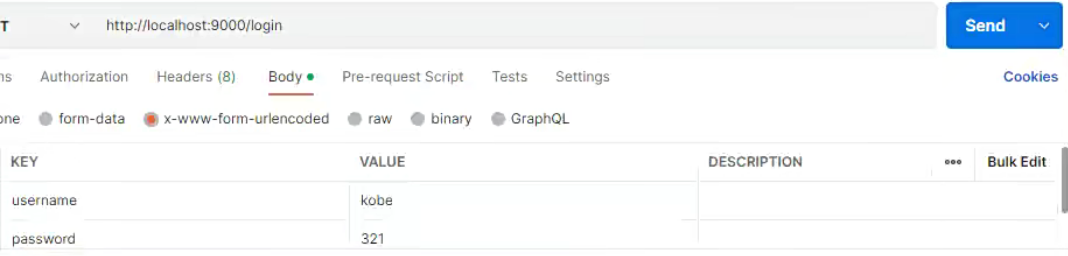
如果我们解析的是 application/x-www-form-urlencoded
javascript
const express = require("express");

// 创建app对象
const app = express();

// 应用一些中间件
app.use(express.json()); // 解析客户端传递过来的json
// 解析传递过来urlencoded的时候, 默认使用的node内置querystring模块
// { extended: true }: 不再使用内置的querystring, 而是使用qs第三方库,可以消除警告
app.use(express.urlencoded({ extended: true })); // 解析客户端传递过来的urlencoded

// 编写中间件
app.post("/login", (req, res, next) => {
  console.log(req.body);
  res.end("登录成功, 欢迎回来~");
});

// 启动服务器
app.listen(9000, () => {
  console.log("express服务器启动成功~");
});
应用中间件 – 第三方中间件
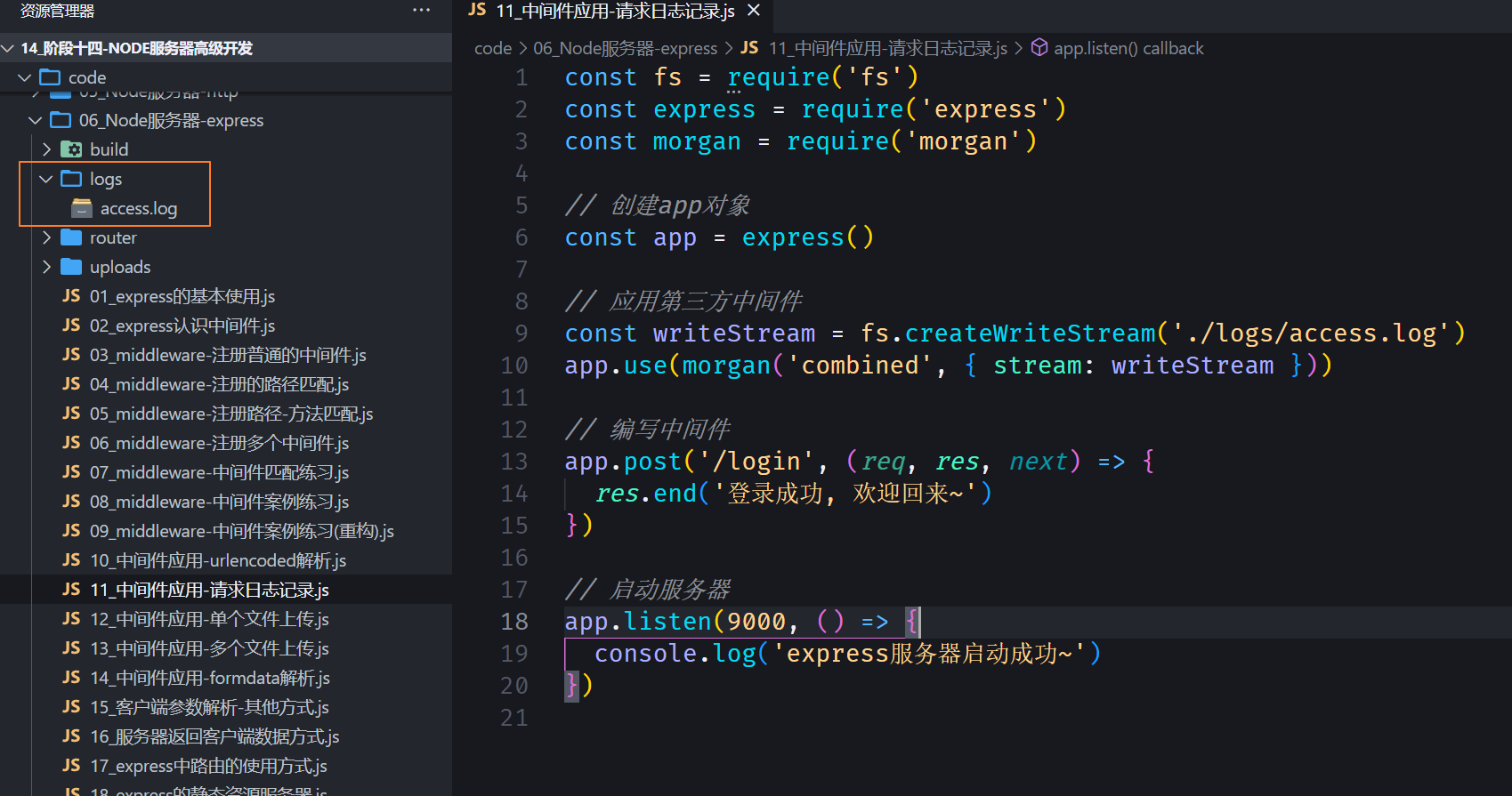
如果我们希望将请求日志记录下来,那么可以使用 express 官网开发的第三方库:morgan
注意:需要单独安装

javascript
const fs = require("fs");
const express = require("express");
const morgan = require("morgan");

// 创建app对象
const app = express();

// 应用第三方中间件
const writeStream = fs.createWriteStream("./logs/access.log");
app.use(morgan("combined", { stream: writeStream }));

// 编写中间件
app.post("/login", (req, res, next) => {
  res.end("登录成功, 欢迎回来~");
});

// 启动服务器
app.listen(9000, () => {
  console.log("express服务器启动成功~");
});
这样每次请求的日志就会被记录到 logs/access.log 中
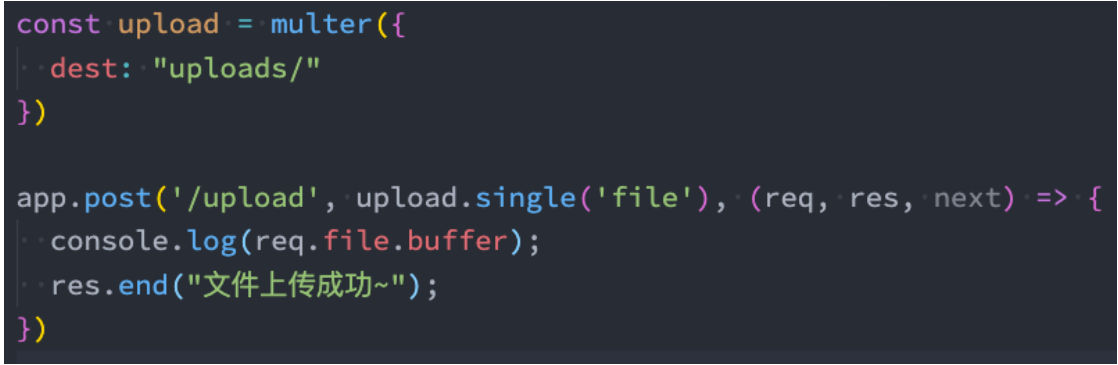
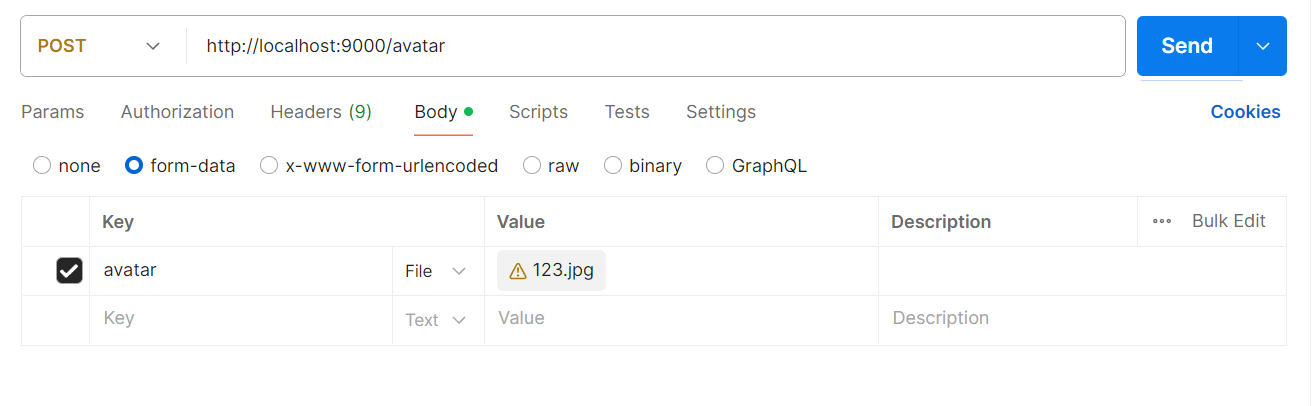
上传文件,我们可以使用 express 提供的 multer 来完成:
应用中间件 – 单个文件上传
javascript
const express = require("express");
const multer = require("multer");

// 创建app对象
const app = express();

// 应用一个express编写第三方的中间件
const upload = multer({
  dest: "./uploads", // 上传到uploads这个文件夹
});

// 编写中间件
// 上传单文件: singer方法
app.post("/avatar", upload.single("avatar"), (req, res, next) => {
  console.log(req.file); // 可以查看文件上传成功的一些信息
  res.end("文件上传成功~");
});

// 启动服务器
app.listen(9000, () => {
  console.log("express服务器启动成功~");
});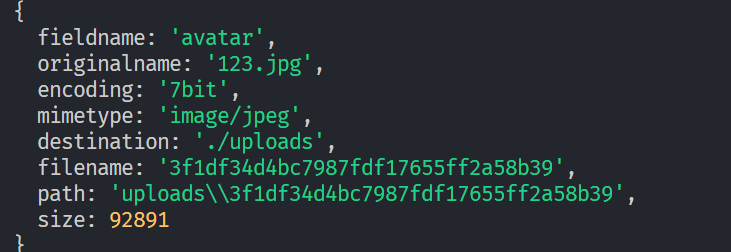
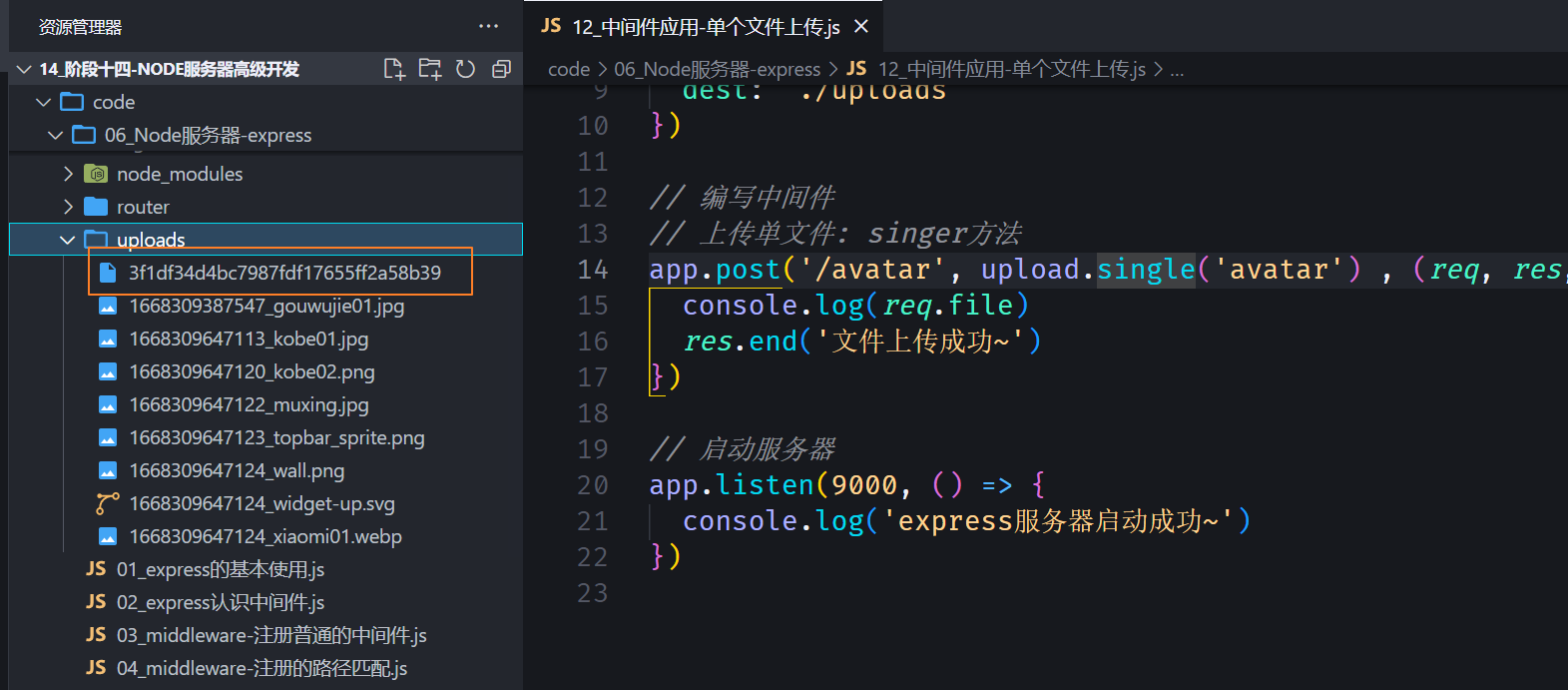
但是当我们想查看 uploads 文件夹里面的图片文件时发现是打不开的,因为没有后缀名,需要自己补上.jpg 才能显示。
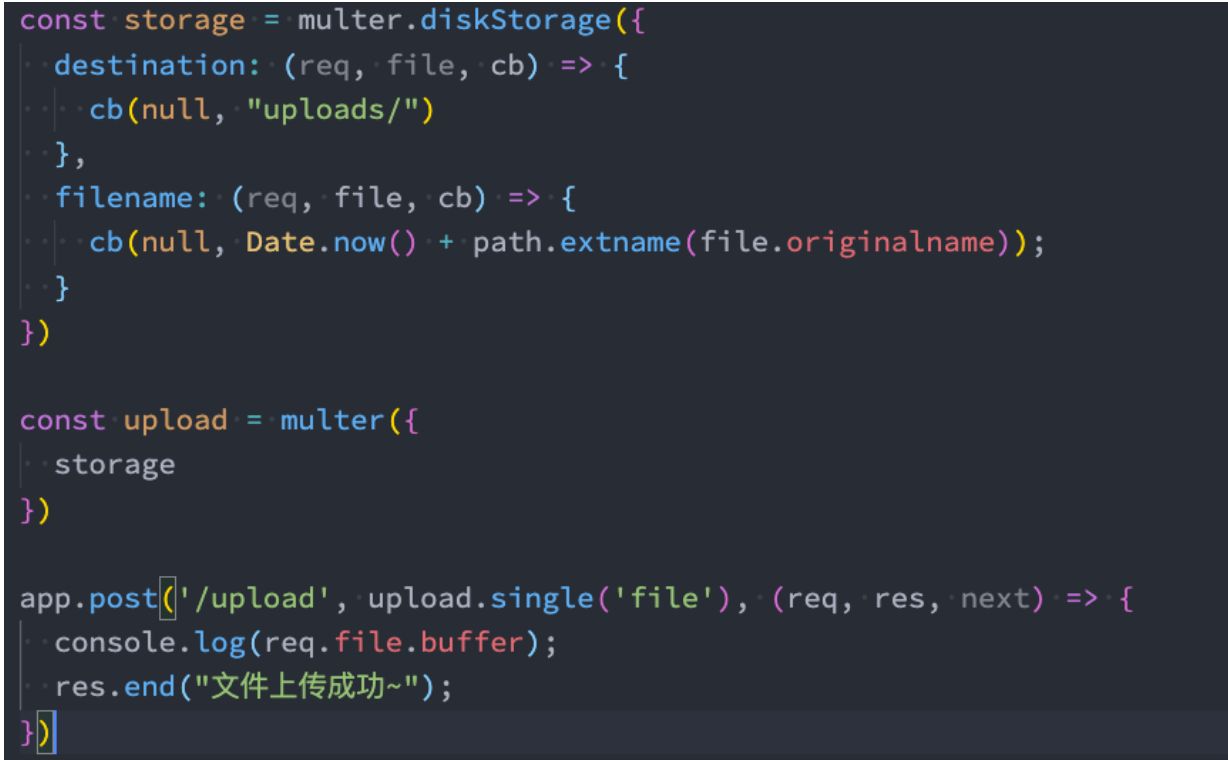
上传文件中间件 – 添加后缀名
上传文件,我们可以使用 express 提供的 multer 来完成:
javascript
const express = require("express");
const multer = require("multer");

// 创建app对象
const app = express();

// 应用一个express编写第三方的中间件
const upload = multer({
  // dest: './uploads'
  storage: multer.diskStorage({
    destination(req, file, callback) {
      callback(null, "./uploads");
    },
    filename(req, file, callback) {
      callback(null, Date.now() + "_" + file.originalname);
    },
  }),
});

// 编写中间件
// 上传单文件: single方法
app.post("/avatar", upload.single("avatar"), (req, res, next) => {
  console.log(req.file);
  res.end("文件上传成功~");
});

// 启动服务器
app.listen(9000, () => {
  console.log("express服务器启动成功~");
});
上面配置文件还是上传到 uploads 文件夹中,只不过多了自定义文件的名字,并且也有了后缀。
应用中间件 – 多个文件上传
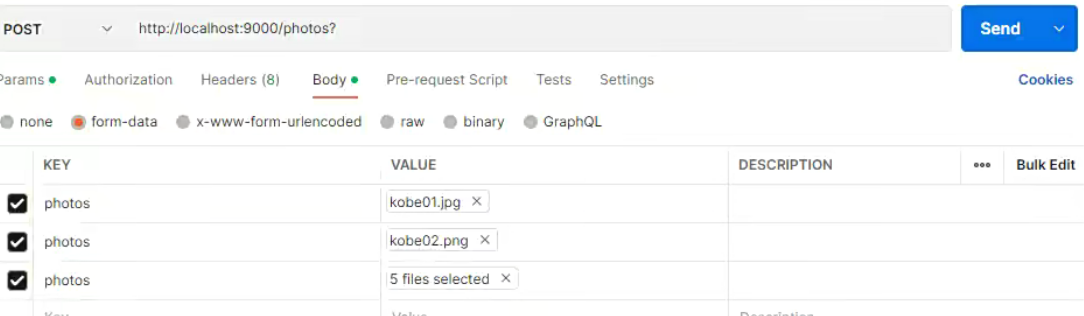
使用的是 upload.array 方法
javascript
const express = require("express");
const multer = require("multer");

// 创建app对象
const app = express();

// 应用一个express编写第三方的中间件
const upload = multer({
  // dest: './uploads'
  storage: multer.diskStorage({
    destination(req, file, callback) {
      callback(null, "./uploads");
    },
    filename(req, file, callback) {
      callback(null, Date.now() + "_" + file.originalname);
    },
  }),
});

// 上传多文件:
app.post("/photos", upload.array("photos"), (req, res, next) => {
  console.log(req.files);
  res.end("上传多张照片成功~");
});

// 启动服务器
app.listen(9000, () => {
  console.log("express服务器启动成功~");
});
multer 解析 form-data
如果我们希望借助于 multer 帮助我们解析一些 form-data 中的普通数据,那么我们可以使用 any:
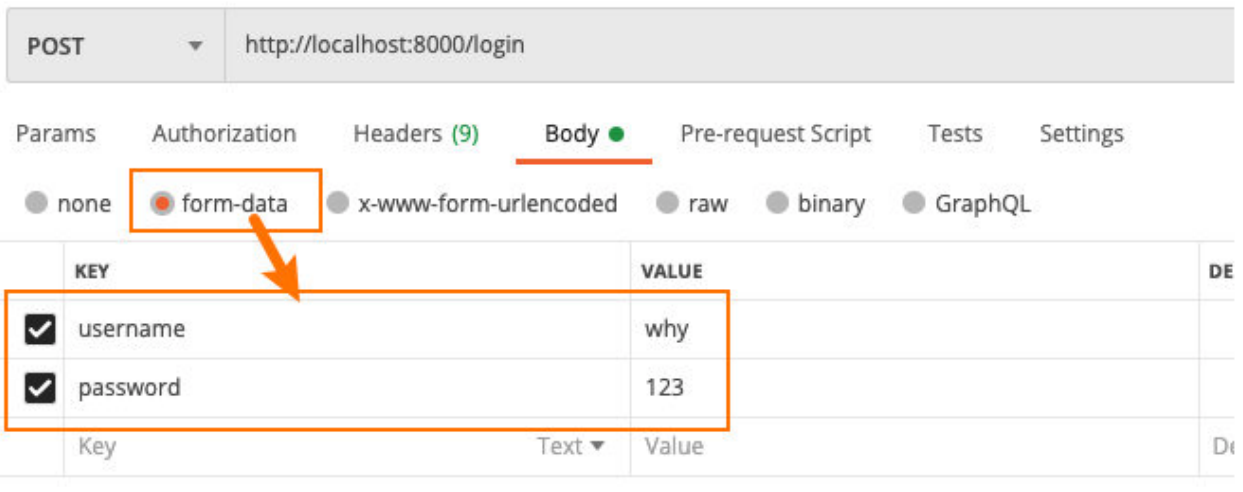
javascript
const express = require("express");
const multer = require("multer");

// 创建app对象
const app = express();

// express内置的插件
app.use(express.json());
app.use(express.urlencoded({ extended: true }));

// 编写中间件
const formdata = multer();

app.post("/login", formdata.any(), (req, res, next) => {
  console.log(req.body);
  res.end("登录成功, 欢迎回来~");
});

// 启动服务器
app.listen(9000, () => {
  console.log("express服务器启动成功~");
});
不过一般还是不推荐使用 form-data,除了上传文件。
客户端发送请求的方式
客户端传递到服务器参数的方法常见的是 5 种
方式一:通过 get 请求中的 URL 的 params;
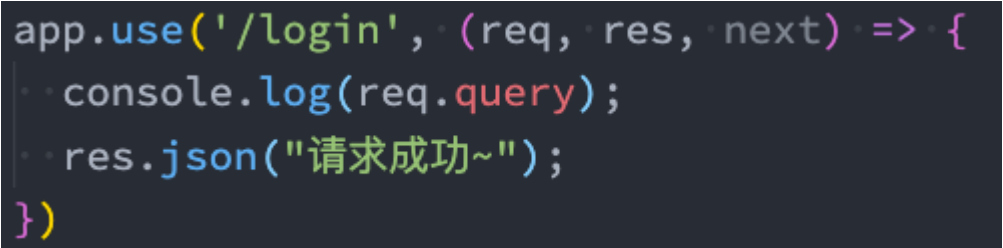
方式二:通过 get 请求中的 URL 的 query;
方式三:通过 post 请求中的 body 的 json 格式(中间件中已经使用过);
方式四:通过 post 请求中的 body 的 x-www-form-urlencoded 格式(中间件使用过);
方式五:通过 post 请求中的 form-data 格式(中间件中使用过);
目前我们主要有两种方式没有讲,下面我进行一个演练。
传递参数 params 和 query
请求地址:http://localhost:8000/login/abc/why
获取参数:
请求地址:http://localhost:8000/login?username=why&password=123
获取参数:
javascript
const express = require("express");

// 创建app对象
const app = express();

// 编写中间件
// 1.解析queryString
app.get("/home/list", (req, res, next) => {
  // offset/size
  const queryInfo = req.query;
  console.log(queryInfo);

  res.end("data list数据");
});

// 2.解析params参数
app.get("/users/:id", (req, res, next) => {
  const id = req.params.id;

  res.end(`获取到${id}的数据~`);
});

// 启动服务器
app.listen(9000, () => {
  console.log("express服务器启动成功~");
});
响应数据
end 方法
类似于 http 中的 response.end 方法,用法是一致的
json 方法
json 方法中可以传入很多的类型:object、array、string、boolean、number、null 等,它们会被转换成 json 格式返回;
status 方法
用于设置状态码;
注意:这里是一个函数,而不是属性赋值;
更多响应的方式:https://www.expressjs.com.cn/4x/api.html#res
javascript
const express = require("express");

// 创建app对象
const app = express();

// 编写中间件
app.post("/login", (req, res, next) => {
  // 1.res.end方法(比较少)
  // res.end('登录成功, 欢迎回来~')

  // 2.res.json方法(最多)
  // res.json({
  //   code: 0,
  //   message: '欢迎回来~',
  //   list: [
  //     { name: 'iPhone', price: 111 },
  //     { name: 'iPad', price: 111 },
  //     { name: 'iMac', price: 111 },
  //     { name: 'Mac', price: 111 },
  //   ]
  // })

  // 3.res.status方法: 设置http状态码
  res.status(201);
  res.json("创建用户成功~");
});

// 启动服务器
app.listen(9000, () => {
  console.log("express服务器启动成功~");
});
Express 的路由
如果我们将所有的代码逻辑都写在 app 中,那么 app 会变得越来越复杂:
一方面完整的 Web 服务器包含非常多的处理逻辑;
另一方面有些处理逻辑其实是一个整体,我们应该将它们放在一起:比如对 users 相关的处理
- 获取用户列表;
- 获取某一个用户信息;
- 创建一个新的用户;
- 删除一个用户;
- 更新一个用户;
我们可以使用 express.Router 来创建一个路由处理程序:
一个 Router 实例拥有完整的中间件和路由系统;
因此,它也被称为 迷你应用程序(mini-app);
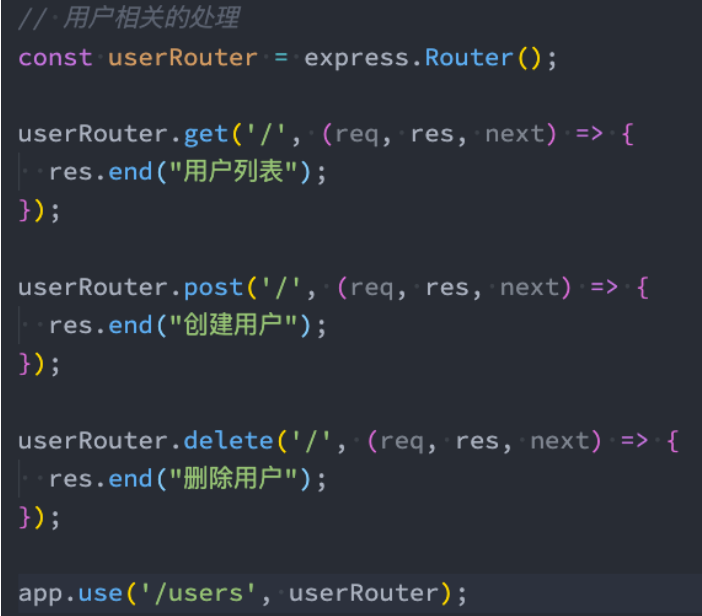
javascript
const express = require("express");
const userRouter = require("./router/userRouter");

// 创建app对象
const app = express();

// 编写中间件
app.post("/login", (req, res, next) => {});

app.get("/home", (req, res, next) => {});

/** 用户的接口 */
// 1.将用户的接口直接定义在app中
// app.get('/users', (req, res, next) => {})
// app.get('/users/:id', (req, res, next) => {})
// app.post('/users', (req, res, next) => {})
// app.delete('/users/:id', (req, res, next) => {})
// app.patch('/users/:id', (req, res, next) => {})

// 2.将用户的接口定义在单独的路由对象中
// const userRouter = express.Router()
// userRouter.get('/', (req, res, next) => {
//   res.json('用户列表数据')
// })
// userRouter.get('/:id', (req, res, next) => {
//   const id = req.params.id
//   res.json('某一个用户的数据:' + id)
// })
// userRouter.post('/', (req, res, next) => {
//   res.json('创建用户成功')
// })
// userRouter.delete('/:id', (req, res, next) => {
//   const id = req.params.id
//   res.json('删除某一个用户的数据:' + id)
// })
// userRouter.patch('/:id', (req, res, next) => {
//   const id = req.params.id
//   res.json('修改某一个用户的数据:' + id)
// })

// 让路由生效
app.use("/users", userRouter);

// 启动服务器
app.listen(9000, () => {
  console.log("express服务器启动成功~");
});
单独抽取到 userRouter.js 中
router/useRouter.js
javascript
const express = require("express");

// 1.创建路由对象
const userRouter = express.Router();

// 2.定义路由对象中的映射接口
userRouter.get("/", (req, res, next) => {
  res.json("用户列表数据");
});
userRouter.get("/:id", (req, res, next) => {
  const id = req.params.id;
  res.json("某一个用户的数据:" + id);
});
userRouter.post("/", (req, res, next) => {
  res.json("创建用户成功");
});
userRouter.delete("/:id", (req, res, next) => {
  const id = req.params.id;
  res.json("删除某一个用户的数据:" + id);
});
userRouter.patch("/:id", (req, res, next) => {
  const id = req.params.id;
  res.json("修改某一个用户的数据:" + id);
});

// 3.将路由导出
module.exports = userRouter;
静态资源服务器
部署静态资源我们可以选择很多方式:
Node 也可以作为静态资源服务器,并且 express 给我们提供了方便部署静态资源的方法;
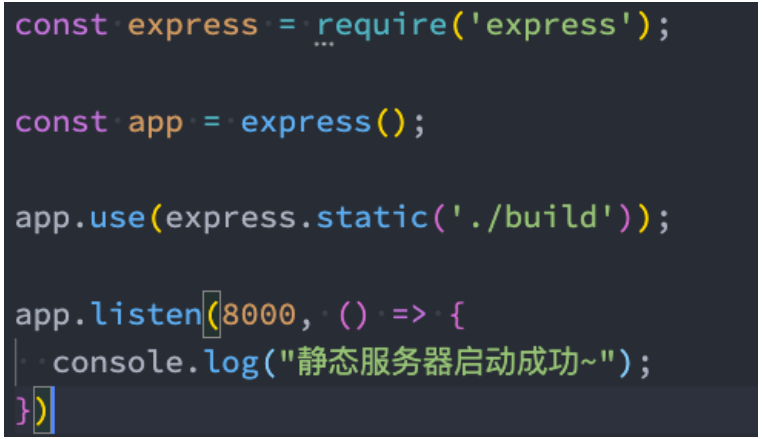
javascript
const express = require("express");

// 创建app对象
const app = express();

// 内置的中间件: 直接将一个文件夹作为静态资源
app.use(express.static("./uploads"));
app.use(express.static("./build"));

// 编写中间件
app.post("/login", (req, res, next) => {});

// 启动服务器
app.listen(9000, () => {
  console.log("express服务器启动成功~");
});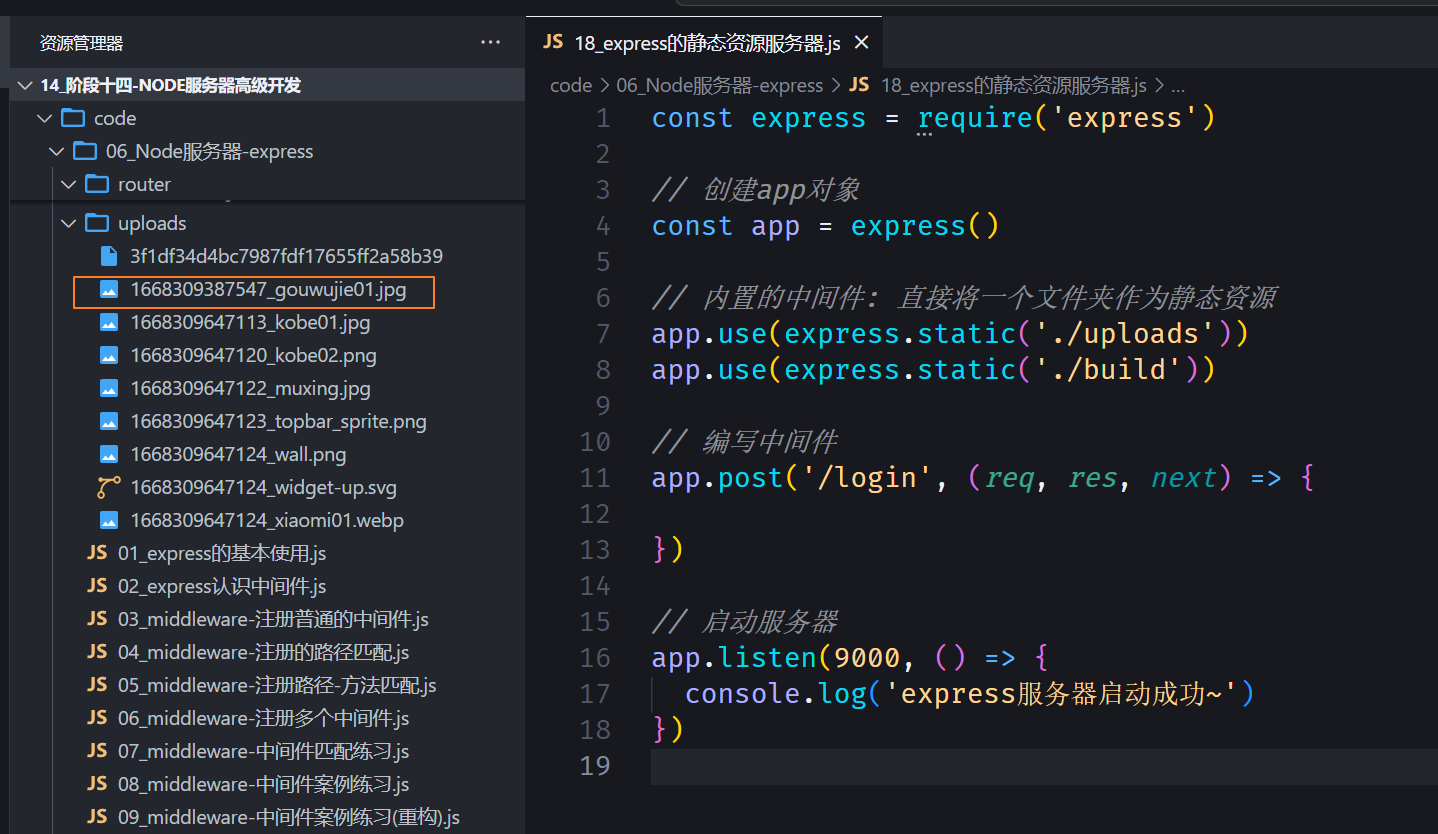
那么我们在浏览器就可以直接访问

也可以将之前的 react 项目打包之后的 build 文件夹放进来进行部署
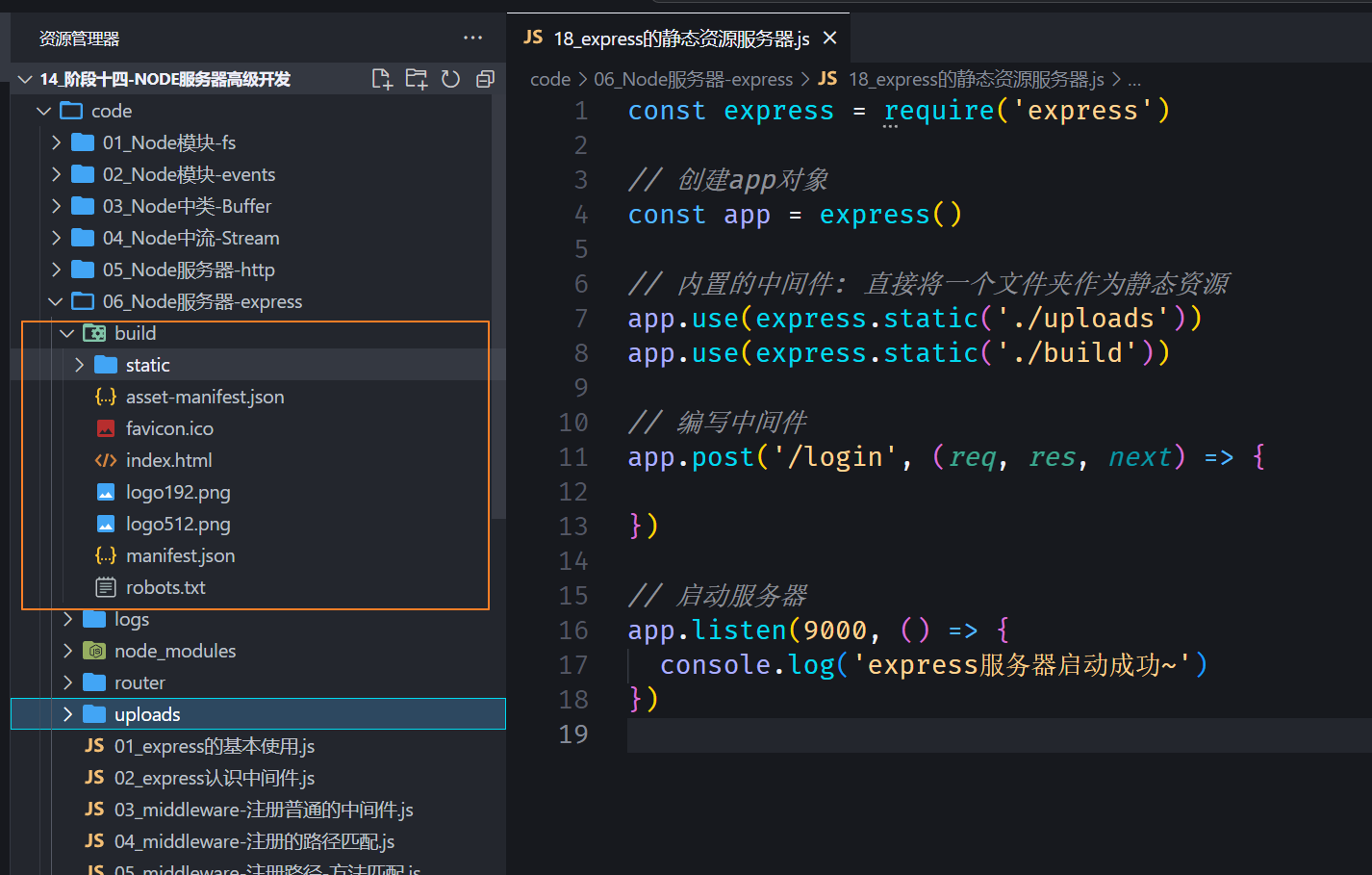
然后浏览器访问http://localhost:9000/,本质上访问的就是http://localhost:9000/index.html

服务端的错误处理
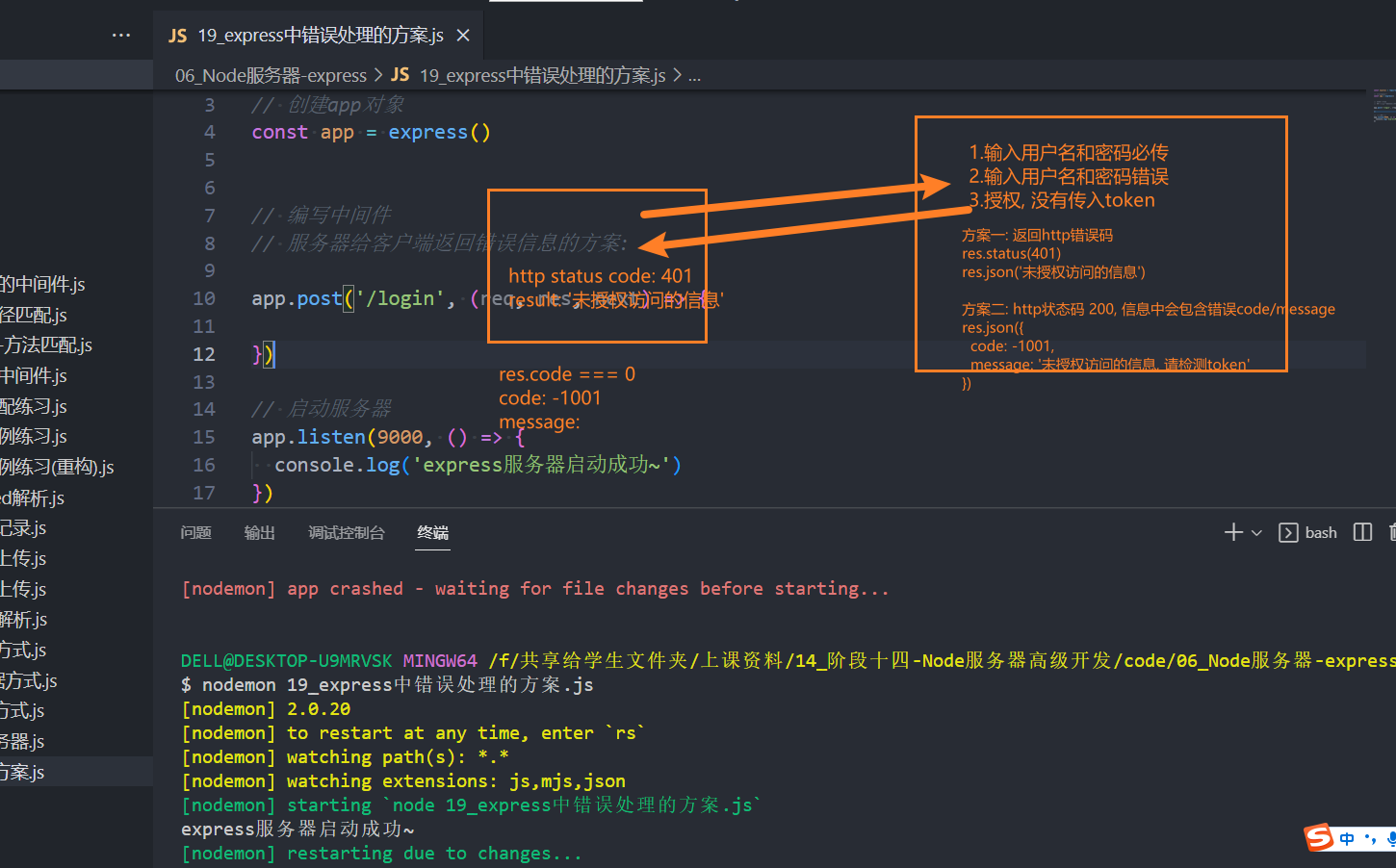
后端还是正常返回 200,只不过会返回自定义的 code。
next 方法可以传参,传一个错误码进去,中间件可以有 4 个参数,第一个参数就是错误码,这样错误的处理和正确响应返回就区分开。
javascript
const express = require("express");

// 创建app对象
const app = express();

app.use(express.json());

// 编写中间件
app.post("/login", (req, res, next) => {
  // 1.获取登录传入的用户名和密码
  const { username, password } = req.body;

  // 2.对用户名和密码进行判断
  if (!username || !password) {
    next(-1001);
  } else if (username !== "coderwhy" || password !== "123456") {
    next(-1002);
  } else {
    res.json({
      code: 0,
      message: "登录成功, 欢迎回来~",
      token: "323dfafadfa3222",
    });
  }
});

// 错误处理的中间件
app.use((errCode, req, res, next) => {
  const code = errCode;
  let message = "未知的错误信息";

  switch (code) {
    case -1001:
      message = "没有输入用户名和密码";
      break;
    case -1002:
      message = "输入用户名或密码错误";
      break;
  }

  res.json({ code, message });
});

// 启动服务器
app.listen(9000, () => {
  console.log("express服务器启动成功~");
});